Supply Chain & Fulfillment AI

Inventory Planner by Sage: forecasting and replenishment

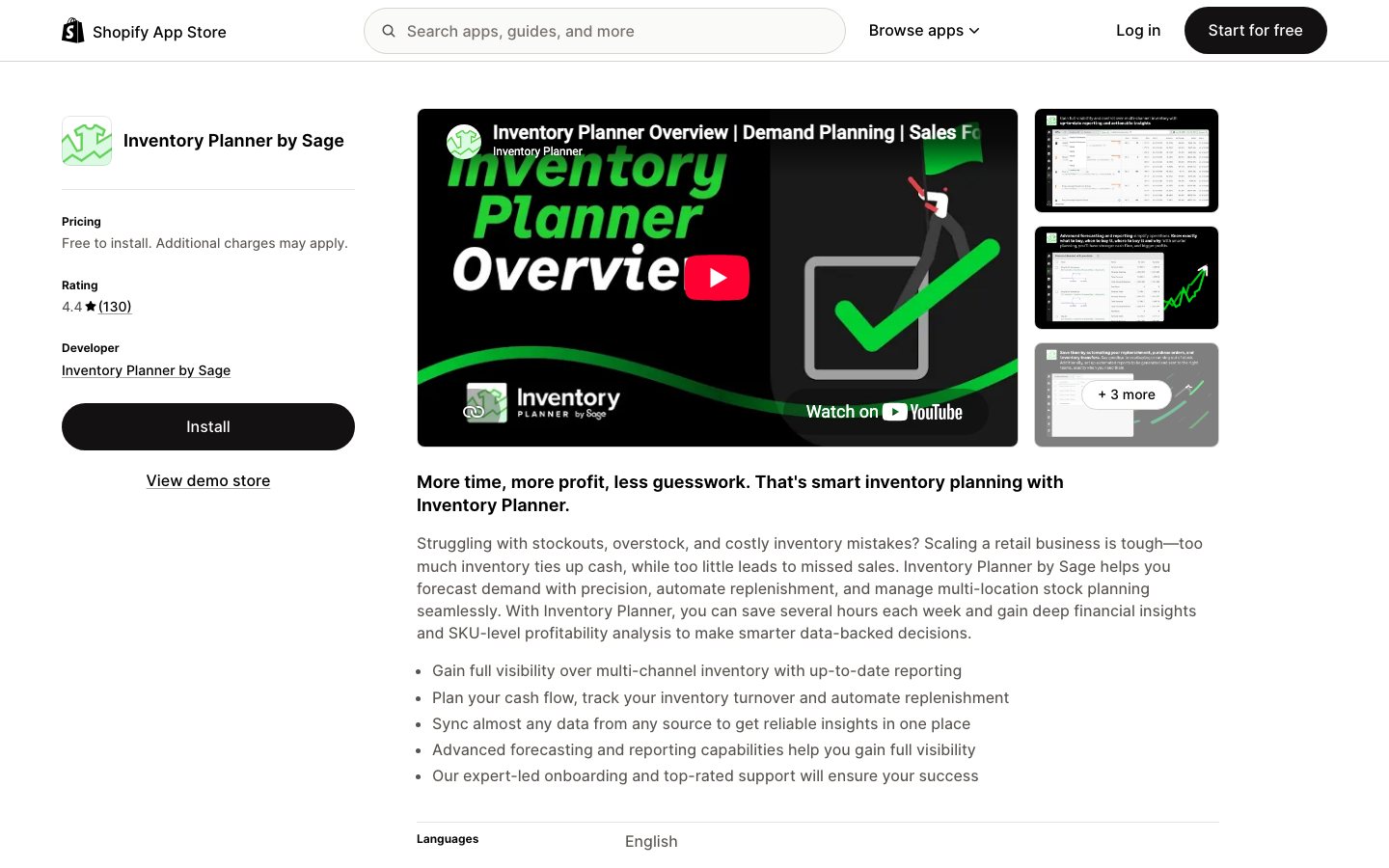
Inventory Planner by Sage is a retail inventory planning tool that helps buyers decide what to replenish, how much to order and when, using connected sales and stock data. It combines demand forecasts with supplier lead times and supports turning reviewed suggestions into purchase orders or warehouse transfers.

Views
0
Uses
0
Favorites
0
Supported Platforms
Shopify · WooCommerce · BigCommerce · Amazon
Inventory Planner by Sage official product page or product image
Official product-page image source

Buying view: Inventory Planner fits teams whose main problem is deciding what and when to reorder across their existing stock systems. It should be assessed as a planning and purchasing layer, with explicit ownership of stock records and receiving.

Inventory Planner forecasting and replenishment workflows

Inventory Planner helps retail buyers decide what to replenish before they place a supplier order. It brings supported product, sales and stock records into a forecasting and replenishment workspace, where buyers check suggested quantities against supplier information and lead times. They can turn selected items into purchase orders, send those orders to suppliers and synchronize supported stock orders with an inventory system. The same workspace supports warehouse transfers and scheduled batches of purchase or transfer orders, but the team still decides where purchasing and receiving are recorded.

Turn sales and stock data into buying decisions

Knowing today's stock level does not tell a buyer which items will need another order soon. Inventory Planner brings sales history, current stock and purchasing information together so the buyer can compare future need with what is already available. That decision happens before a supplier purchase order is sent.

Review replenishment, purchase and receipt steps

A buyer reviews replenishment suggestions, adjusts the selected variants and quantities, and creates a purchase or transfer order. The resulting order can be sent or synchronized through a supported connection. If an IMS or ERP already combines sales channels and owns receiving, the team should connect and update that system as documented rather than duplicate channel imports or receipt work.

How Inventory Planner moves from forecast to receipt

Inventory Planner turns a replenishment suggestion into a reviewed purchase order and tracks receipt, with separate transfer and scheduled-batch routes.

From replenishment proposal to received stock

The buyer starts from a replenishment suggestion, checks variants, quantities, supplier and lead time, then creates and sends a purchase order. A supported connection may pass the order to an IMS. From there, staff edit and receive it in the system that owns the synchronized order; otherwise they use Inventory Planner's receiving flow. If goods arrive in parts, the order stays open until the remaining items are handled.

From replenishment proposal to received stockThe buyer starts from a replenishment suggestion, checks variants, quantities, supplier and lead time, then creates and sends a purchase order. A supported connection may pass the order to an IMS. From there, staff edit and receive it in the system that owns the synchronized order; otherwise they use Inventory Planner's receiving flow. If goods arrive in parts, the order stays open until the remaining items are handled. YesNoYesMore receiptsReplenishment dueReview quantity and supplierCreate and send POPO synced to IMS?Receive in inventorysystemReceive in InventoryPlannerOrder complete?Close purchaseorderFrom replenishment proposal to received stockThe buyer starts from a replenishment suggestion, checks variants, quantities, supplier and lead time, then creates and sends a purchase order. A supported connection may pass the order to an IMS. From there, staff edit and receive it in the system that owns the synchronized order; otherwise they use Inventory Planner's receiving flow. If goods arrive in parts, the order stays open until the remaining items are handled. YesNoYesMore receiptsReplenishmentdueReview quantity and supplierCreate and send POPO synced toIMS?Receive ininventorysystemReceive inInventoryPlannerOrder complete?Close purchaseorder

Plan a transfer between warehouses

Before buying more, the buyer compares the replenishment need with stock in another warehouse. They select the variants, source warehouse, destination warehouse and quantity, then check the allowed transfer amount and create a transfer order. The order records a planned move; the destination still needs to confirm receipt when the stock arrives.

Plan a transfer between warehousesBefore buying more, the buyer compares the replenishment need with stock in another warehouse. They select the variants, source warehouse, destination warehouse and quantity, then check the allowed transfer amount and create a transfer order. The order records a planned move; the destination still needs to confirm receipt when the stock arrives. Location needsstockCompare warehouse availabilitySelect items and warehousesCheck transfer quantitiesCreate transfer orderTransfer listed instock ordersPlan a transfer between warehousesBefore buying more, the buyer compares the replenishment need with stock in another warehouse. They select the variants, source warehouse, destination warehouse and quantity, then check the allowed transfer amount and create a transfer order. The order records a planned move; the destination still needs to confirm receipt when the stock arrives. Location needsstockCompare warehouse availabilitySelect items and warehousesCheck transfer quantitiesCreate transfer orderTransfer listedin stock orders

Schedule recurring stock-order batches

The operator sets a recurring schedule, chooses purchase or transfer orders, defines the item filters and initial status, and names who should be notified. Future runs create matching order batches and send those notifications. Staff then handle each batch through the normal purchasing or transfer process; a created record is not supplier acceptance or physical receipt.

Schedule recurring stock-order batchesThe operator sets a recurring schedule, chooses purchase or transfer orders, defines the item filters and initial status, and names who should be notified. Future runs create matching order batches and send those notifications. Staff then handle each batch through the normal purchasing or transfer process; a created record is not supplier acceptance or physical receipt. Recurring planningtaskSet schedule, filters and statusEnable automationScheduled batch generatedNotify named recipientsBatch ready forpurchasingSchedule recurring stock-order batchesThe operator sets a recurring schedule, chooses purchase or transfer orders, defines the item filters and initial status, and names who should be notified. Future runs create matching order batches and send those notifications. Staff then handle each batch through the normal purchasing or transfer process; a created record is not supplier acceptance or physical receipt. Recurringplanning taskSet schedule, filters andstatusEnable automationScheduled batch generatedNotify named recipientsBatch ready forpurchasing

Forecasts, replenishment and purchasing records

Inventory Planner combines demand forecasts, replenishment suggestions and purchasing records so buyers can check quantities before ordering.

Demand forecasting

Demand forecasting gives buyers a view of likely stock needs before they prepare a purchase order. It uses sales and stock records imported from connected systems, so the buyer can compare expected demand with available inventory. The result is a planning input, not an order sent to a supplier; incomplete history or duplicated channels can skew the quantities under review.

Replenishment

Replenishment turns forecast and stock information into items a buyer can consider ordering. In the workspace, the buyer selects product variants, checks proposed quantities and reviews the supplier and lead time before creating an order. That check matters when a suggested quantity looks reasonable in a chart but would arrive too late or from the wrong supplier.

Purchase orders

Purchase orders turn the buyer's selected replenishment items into a document for the supplier, or let the buyer enter an order manually. Staff check the variants, quantities and supplier details, then download or email the order. A supported connection can also synchronize the stock order to the inventory system; creating the document alone does not mean the supplier has received or accepted it.

Receiving

Receiving records what arrived against an open purchase order. Staff can enter a partial delivery, leave the order open for the remaining items and close it after the work is complete. When a connected IMS owns the synchronized order, staff edit it and record receipts in that system instead; the connector determines where this handoff occurs.

Integrations

Integrations supply the product, sales and stock records used by the planning workspace and can pass supported order records back to another system. The exact objects and direction depend on the connector. If an IMS already combines the store's sales channels, Inventory Planner recommends connecting that IMS alone instead of importing the same sales again from each channel.

Warehouse transfers

Warehouse transfers let a buyer consider moving stock already held at another location before buying more. The buyer compares available quantities, chooses the variants and source and destination warehouses, then checks the transfer limits before creating an order. The resulting record plans the movement; the receiving warehouse still has to confirm physical arrival.

Automations

Automations create purchase-order or transfer batches on a recurring schedule instead of waiting for staff to start each batch manually. An operator chooses the order type, filters, initial status and people to notify. The scheduled run creates records and alerts the recipients; staff still handle supplier contact and receiving through their normal process.

Inventory Planner pricing and quote criteria

Inventory Planner uses a quote based on managed inventory volume; a free Shopify installation is not a free planning subscription.

View official pricing details

The official offer is a custom quote based on managed inventory volume and includes unlimited users. The Shopify listing’s free installation label does not mean that the planning service is free.

Subscription quote based on managed inventory

The Inventory Planner subscription requires a quote based on inventory volume and includes unlimited users.

Product or sales surfaceScopePublic price and status
Inventory Planner

Inventory-volume-based quote; unlimited users.

Custom quote

Inventory Planner alternatives: replenishment and price

This table compares Inventory Planner with Prediko, Fabrikatör and Netstock by replenishment workflow and public price or quote basis.

ToolWorkflow differenceOfficial public price reference
Prediko

Shopify-focused replenishment and purchase orders; the subscription band depends on trailing twelve-month revenue. Check whether raw-material or BOM planning is an add-on.

Starter: $49/month · up to $100k trailing revenueScale-up: $119/month · up to $500kGrowth: $199/month · up to $2mEnterprise / above $2m: custom quoteOfficial pricing ↗
Fabrikatör

Combines replenishment, purchase orders and backorder selling. The plan depends on store and revenue band; backorders add fulfillment promises and possible order charges.

SEED monthly: $99/month · up to $500k revenueSEED annual: $950/year · up to $500k revenueSCALE-UP: $149/month · up to $1.5mGROWTH: $199/month · up to $2.5mENTERPRISE / above $2.5m: custom quoteOfficial pricing ↗
Netstock

A broader planning project for teams with an ERP and system writeback needs. Confirm connectors, implementation work and a like-for-like quote.

Platform: from $900/month on an annual subscription; not a plan-specific quoteEssentials: custom quoteAdvanced: custom quoteCommercial: custom quoteDemand Planning add-on: custom quoteOfficial pricing ↗

Is Inventory Planner right for your buying team?

Inventory Planner fits buyers who need repeatable replenishment decisions from sales and stock history and can define which system owns purchase records.

When this product fits

Inventory Planner fits buyers who have sales and stock records but still need a repeatable way to decide which variants to reorder, in what quantity and from which supplier. It turns that information into replenishment suggestions and purchase-order work. The team should identify its source system and where receipts are recorded, because the planner does not remove the need for an authoritative stock record.

Decide which system owns purchasing records

Prepare sales, stockout and inventory histories, open purchase orders and supplier lead times before a trial. Test ordinary replenishment, promotion demand and late suppliers with the same SKUs, then ask how each proposed quantity and date was calculated. Seasonal forecasting needs at least twelve months of history. Confirm the buyer can review the recommendation and trace purchase-order approval, sending, ERP writeback and partial receipt.

Inventory Planner by Sage questions answered

Inventory Planner buyers need to clarify quote inputs, stock-data connections and where purchase orders are managed.

How much does Inventory Planner by Sage cost, and does free installation mean free use?

The current official approach is a quote based on the volume of inventory managed, not a verified fixed $149 or $299 plan. Free installation in the Shopify App Store does not mean the ongoing subscription is free. Provide inventory scale, stores, locations and connected systems, and request an itemized breakdown of implementation, data-preparation and additional charges.

Can it replace an ERP or warehouse inventory system?

It should not be treated as a complete ERP or warehouse execution replacement. Its focus is demand forecasting, replenishment timing and purchasing plans, while the relevant source systems remain responsible for inventory records, accounting and physical warehouse operations. Purchase-order writeback depends on the particular connector and configuration, not merely on the existence of an API.

Does connecting Shopify automatically provide complete sales and stockout history?

No, the two histories are not automatically equally complete. The current Shopify connector documentation supports two years of sales, while stockout tracking starts after connection and earlier inventory or stockout history may need to be supplied. Products that continue accepting orders while out of stock also require appropriate stockout-adjustment settings.

Can I use seasonal forecasting with only a few months of sales?

The documented seasonal method requires at least 12 months of sales history, so a few months should not be treated as a full annual seasonal pattern. Short-history items and new products need another forecasting approach, a manual plan or explicit assumptions, with their uncertainty reviewed separately. Producing a number does not mean it has the same evidence as a mature product’s forecast.

Does a replenishment recommendation automatically place an order with the supplier?

A replenishment recommendation should not be treated as an order already placed with a supplier. The buyer still needs to review lead times, coverage, incoming stock, quantities and purchasing constraints; creating, approving, sending and writing a purchase order back to an ERP are separate steps. Ask the vendor to demonstrate those steps and failure handling with your actual connection setup.

Should a small Shopify store start by comparing Inventory Planner with other tools?

Start with purchasing-workflow complexity rather than headcount alone. A team focused on Shopify replenishment and purchase orders can also trial Prediko and Fabrikatör; for multi-system planning or ERP writeback, examine Inventory Planner’s connectors and alternatives such as Netstock. Fix missing stockout, lead-time and incoming-order data before judging forecasting software.

Inventory Planner native commerce and stock connections

Inventory Planner draws supported sales, product and stock records from connected systems for planning; synchronization scope varies by connector.

ShopifySource records → planning

Use Shopify product, sales and stock records as inputs for replenishment forecasts. Check the connector's supported fields; if an inventory system already consolidates Shopify, avoid importing the same channel twice.

Native integration guide
AmazonSource records → planning

Bring supported Amazon marketplace listings, sales and stock into the forecast to see marketplace demand alongside other channels. Check the connector fields and avoid duplicating data already supplied by an inventory system.

Native integration guide
eBaySource records → planning

Use supported eBay listing, sales and stock records when planning replenishment for marketplace orders. Check the connector fields and avoid a second feed if an inventory system already includes eBay.

Native integration guide
WalmartSource records → planning

Include supported Walmart marketplace sales and stock in inventory planning so its demand is counted. Confirm the connector's fields and avoid duplicating an existing inventory-system feed.

Native integration guide
BigCommerceSource records → planning

Use BigCommerce catalog, sales and stock records to plan what to replenish for this store. Check the supported objects and avoid a duplicate feed through an inventory system.

Native integration guide
WooCommerceSource records → planning

Bring supported WooCommerce products, orders and stock into demand planning. Confirm the connector's field coverage and avoid importing the same store again through an inventory system.

Native integration guide
Adobe Commerce (Magento 2)Source records → planning

Use supported Adobe Commerce catalog, sales and stock records for replenishment planning. Check the connector's supported objects and avoid a duplicate feed from an inventory system.

Native integration guide
SquareSource records → planning

Include supported Square product, sales and stock records when planning replenishment for this channel. Check the connector's fields and avoid duplicate records from an inventory system.

Native integration guide
BrightpearlSource records → planning

Use Brightpearl as the central inventory and order-management source if it already consolidates sales channels. Check the connector's supported stock-order sync before sending purchase plans back; avoid adding the same channels separately.

Native integration guide
Cin7 CoreSource records → planning

Use Cin7 Core's consolidated product, sales and stock records for planning when it is the inventory system of record. Verify any stock-order write-back supported by this connector; avoid connecting its channels twice.

Native integration guide
Cin7 OmniSource records → planning

Plan from Cin7 Omni's consolidated inventory and sales data when it already aggregates channels. Confirm the connector's stock-order synchronization before sending an order back; avoid separate duplicate channel feeds.

Native integration guide
ShipBobSource records → planning

Use ShipBob inventory and fulfillment records as planning inputs when it is your operational stock source. Check exactly which records and stock-order updates its connector supports before relying on a write-back.

Native integration guide
ShipHeroSource records → planning

Use ShipHero inventory and fulfillment records to plan replenishment when it holds the operational stock picture. Verify connector objects and any stock-order write-back before using the plan to trigger work.

Native integration guide
QuickBooksSource records → planning

Use supported QuickBooks inventory or order records as the planning source when QuickBooks is the system of record. Confirm which objects this connector imports and whether stock orders can be returned.

Native integration guide
OdooSource records → planning

Use Odoo's consolidated product, sales and stock records for planning if it manages inventory across channels. Verify supported stock-order sync and avoid importing the same channel records twice.

Native integration guide
UnleashedSource records → planning

Use Unleashed as the planning source when it holds your product and inventory records. Verify supported purchase-order sync before returning proposed orders; avoid duplicate feeds from its sales channels.

Native integration guide
ZohoSource records → planning

Use supported Zoho product, sales and stock records when Zoho is your inventory-management source. Check the connector's exact objects and purchase-order write-back before acting on the inventory plan.

Native integration guide
OrdoroSource records → planning

Use Ordoro's consolidated order and stock data for replenishment planning if it already collects data from your channels. Check the connector's supported objects and stock-order sync; avoid separate duplicate feeds.

Native integration guide
ShipStationSource records → planning

Use supported ShipStation fulfillment records as another input to planning. Check the connector's exact data coverage before treating it as a complete inventory source.

Native integration guide

Sources for Inventory Planner by Sage

The official product, help and pricing links below support the feature and purchasing claims on this page.

Inventory Planner user reviews by platform

These product-specific review sources show ratings and merchant experiences. Each platform counts its own reviews; open a review card or source page for the original context.

4.3 / 5154 reviewsChecked Sep 29, 2026

Rating for the Inventory Planner by Sage Shopify app.

Racing Sport Concepts

Signing up for Inventory Planner is one of the worst decisions I've made in 13+ years as a business owner. I chose it over the competition because it had the best interface and design. In practice, the software doesn't work anywhere near as smoothly as the sales pitch suggests. Everyday tasks require workarounds that eat up the time the product was supposed to save. For example Inventory planner will not sync to Quickbooks without manually syncing the web connector every time. Onboarding was even worse. Over 10 weeks, we were shown several different ways to do the same operation, and the answer changed each time, after they checked with another team member. Nearly every question took days to answer because it had to go to their so called "tech team." They told us the onboarding sessions were being recorded multiple times. When I asked for copies, I was told they had never been recorded, despite them asking for permission to record each time. I also confirmed verbally, multiple times, the recordings would be supplied to me so I could go back over them and review the material. Be sure to demand your recordings after each meeting. The contract structure is the real trap. They structure the contract so that you pay for a year in full up front. Onboarding does not start until full payment is made and contract is signed. By the time you find out how the product actually works you have no way out. The price is tied to your revenue, so as your business grows your costs only go up, regardless of whether the software is helping you. If you read their contract and it feels one-sided, take that seriously, I wish I had.

The Queen Pet Shop

Inventory Planner is an exceptional tool as far as forecasting is concerned. We'd recommend it to anyone looking for tighter control of their purchasing and reporting.

Pulsio EU

I’ve had an excellent experience working with Inventory Planner, and I’d like to highlight the outstanding support provided by their team member, Yi Chan. He has been consistently professional, knowledgeable, and incredibly patient throughout our interactions. Chan took the time to understand our business needs in detail and guided us through every step with clarity and efficiency. His ability to explain complex functions in a simple, practical way has made a huge difference in our workflow. Thanks to his help, we’ve been able to optimise our inventory processes and feel much more confident using the platform. Overall, I’m very impressed with both the product and the level of customer support. Chan’s dedication and expertise truly set a high standard. Highly recommended.

More reviews on Shopify App Store

Leave a review

Rate every dimension, then share your real experience.

Task effectiveness
Ease of use
Reliability
Workflow and integration fit
Value for money

Content checked: