Customer Service & Retention AI

Shopify Inbox live chat

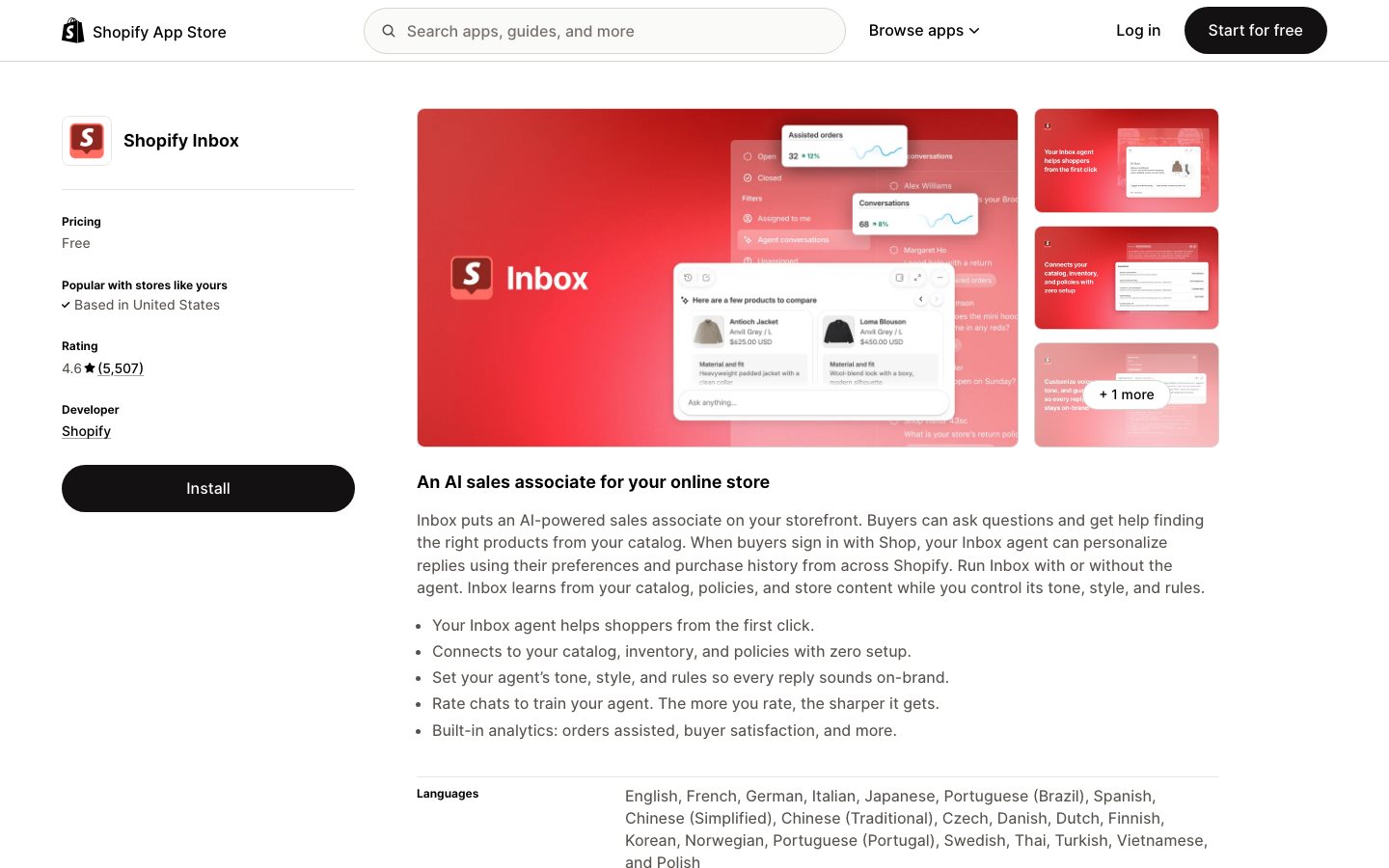
Shopify Inbox is Shopify's customer-chat workspace for merchants that need to manage storefront conversations with customer, cart, and order context while helping shoppers complete purchases. Staff can see available customer, cart, and order context, share products, continue a conversation by email, and use Shopify Magic to prepare replies. An optional Inbox agent can answer from catalog, policy, knowledge-base, file, and published storefront content for eligible early-access merchants.

Views
0
Uses
0
Favorites
0
Supported Platforms
Shopify · Web · iOS · Android
Shopify Inbox official product page or product image
Official product-page image source

Buying view: Shopify Inbox is the simplest option for a Shopify merchant that wants free, store-native chat with cart, customer, and order context. Staff-reviewed Magic replies are generally available, while the autonomous Inbox agent remains limited to eligible early-access merchants.

Shopify Inbox live chat features and workflows

Shopify Inbox gives a store one chat surface where staff or the optional Inbox agent can answer questions with product, cart, order, policy, and signed-in shopper context. Its biggest advantage is native Shopify context: the conversation can include products, discounts, order help, and personalized recommendations without making the shopper or staff reconstruct the store details in a separate helpdesk.

Customer conversations with Shopify store context

Shopify merchants need a lightweight storefront conversation channel that exposes relevant cart, customer, and order context to staff.

How Shopify Inbox handles customer conversations

Online-store chat is managed through Shopify admin, desktop web, iOS, and Android. Cart, customer, and order context is available while staff handle conversations. Shopify Magic suggests replies that staff review, edit, and send.

Handle a storefront conversation

A shopper opens chat, Inbox supplies store and customer context, the agent or staff answers and shares relevant items, and the conversation is resolved or retained for follow-up.

Work through Shopper starts chat → Load store and shopper context → Agent or staff responds → Share a product or discount, or provide help → Resolve or follow up. The workflow finishes at Resolve or follow up, where the result can be reviewed or handed to the next owner.

Handle a storefront conversationA shopper opens chat, Inbox supplies store and customer context, the agent or staff answers and shares relevant items, and the conversation is resolved or retained for follow-up.Shopper starts chatLoad store andshopper contextAgent or staffrespondsShare a product ordiscount, or providehelpResolve or follow upHandle a storefront conversationA shopper opens chat, Inbox supplies store and customer context, the agent or staff answers and shares relevant items, and the conversation is resolved or retained for follow-up.Shopper starts chatLoad store and shoppercontextAgent or staff respondsShare a product or discount,or provide helpResolve or follow up

Shopify Inbox chat workflow stages

Handle a storefront conversation

A shopper opens chat, Inbox supplies store and customer context, the agent or staff answers and shares products or discounts, or provides help, and the conversation is resolved or retained for follow-up.

Work through Shopper starts chat → Load store and shopper context → Agent or staff responds → Share product, discount, or help → Resolve or follow up. The workflow finishes at Resolve or follow up, where the result can be reviewed or handed to the next owner.

Shopify Inbox availability and limitations

Shopify Inbox is the simplest option for a Shopify merchant that wants free, store-native chat with cart, customer, and order context. Staff-reviewed Magic replies are generally available, while the autonomous Inbox agent remains limited to eligible early-access merchants.

Shopify Inbox pricing and availability

Shopify Inbox costs need to be assessed against the purchasing options, billing units and usage scope below.

View official pricing details

This table reflects the current public pricing surface checked on 2026-09-03. Each row keeps the plan's documented allowances, capabilities and separately priced add-ons together so the tiers can be compared without treating the headline price as the whole offer.

Shopify Inbox cost and access requirements

The table lists Shopify Inbox purchasing options, public billing information and included capabilities to check against your requirements.

Product or sales surfaceScopePublic price and status
Shopify Inbox

Native chat workspace available to eligible Shopify stores.

Included plan entitlements
  • Storefront chat
  • Customer, cart and order context
  • Shopify Magic reply suggestions
  • Instant answers and automated first replies
  • Signed-in shopper context
  • Human review before sending suggested replies
Included with eligible Shopify store plans

Shopify Inbox competitor workflow and pricing comparison

Shopify Inbox already offers AI assistance grounded in store content. These competitors are compared on channel coverage, staff handoff, and ongoing support operations, rather than the presence of AI alone.

ToolWorkflow differenceOfficial public price reference
MooseDesk

MooseDesk extends store chat into a shared support inbox: the team manages chat, email, and social messages, lets its AI answer from products and FAQs, and hands complex cases to staff. It also provides self-service order tracking and product FAQs. Shopify Inbox already offers store-aware AI assistance. The reason to compare MooseDesk is therefore a combined support workflow across channels and self-service surfaces, rather than simply adding AI to chat.

Free — $0/monthStarter — $19/monthGrowth — $49/month; 300 tickets/monthBusiness — $249/month; 2,000 tickets/monthMooseDesk official pricing ↗
Chatty

Chatty combines product recommendations and order questions with a help center and an inbox for channels such as WhatsApp, Instagram, Messenger, and email. Operators can also configure proactive messages based on visitor behavior. Shopify Inbox focuses on the native storefront conversation and can answer using store content. Chatty is worth comparing when the same team needs to manage sales conversations and questions arriving from social or messaging channels.

Free — $0; 50 AI conversations/monthBasic — $19.99/month or $203.88/year; 100 AI conversations/monthPro — $68.99/month or $707.88/year; 500 AI conversations/monthPlus — $199/month or $2,039.88/year; 1,000 AI conversations/monthPaid plans: $0.40 per additional AI conversation; billed in USD every 30 daysChatty official pricing ↗
Tidio (Lyro AI)

Tidio with Lyro gives the support team a workflow for maintaining AI answers: provide support content, configure handoff rules, monitor conversations, and use resolution and satisfaction reports to improve the setup. Shopify Inbox's AI draws directly on the store's catalog, policies, and content. Tidio is worth comparing when operators need a dedicated support workspace and more deliberate control over which questions AI handles and when staff take over.

Free — $0/month; 50 human conversations/month; 50 Lyro conversations once per accountStarter — $24.17/month billed annually; 100 billable conversations/monthGrowth — from $49.17/month billed annually; from 250 billable conversations/monthPlus — from $300/month in the annual display, plus monthly usage; Premium — custom quoteLyro AI Agent — from $32.50/month for 50 AI conversations; Flows — from $24.17/month for 2,000 visitors reached (annual billing display)Tidio (Lyro AI) official pricing ↗
Gorgias

Gorgias moves the team from storefront conversations to a shared ecommerce helpdesk. Staff work through customer requests from multiple channels with order context, while configured automation and AI handle supported requests under store policies. Shopify Inbox is centered on helping shoppers within the store. Gorgias is worth comparing when responsibility extends to ongoing after-sales cases, team assignment, and order-related service actions, with available actions depending on the connected systems and configuration.

Starter — $10/month; 50 billable tickets/monthBasic — $60/month; 300 billable tickets/monthPro — $360/month; 2,000 billable tickets/monthAdvanced — $900/month; 5,000 billable tickets/month; Enterprise — custom quoteAI Agent add-on starts at $250/month; automated-interaction allowances and overages are separate. Voice starts at $70/month plus usage; SMS is extraGorgias official pricing ↗
Zendesk AI

Zendesk organizes support around a shared service workspace across messaging, email, and voice. The team configures routing, knowledge, and AI assistance, then follows requests through resolution. Shopify Inbox begins with a Shopify storefront and its shopping context. Zendesk is worth comparing when support spans several brands, channels, or business systems; bringing store and order data into that wider workspace becomes part of the setup rather than the starting point.

Support Team — $19/agent/month, paid yearlySuite Team — $55/agent/month, paid yearlySuite Professional — $115/agent/month, paid yearlySuite Enterprise + Copilot — contact salesAI agents are included; additional automated resolutions are billed separately. Copilot add-on — $50/agent/month, paid yearly on eligible plansZendesk AI official pricing ↗

Is Shopify Inbox right for your team?

Choosing Shopify Inbox depends on the workflow you need, the purchasing scope and how the alternatives below fit your requirements.

When Shopify Inbox is enough for your store

Shopify Inbox is a free, native starting point for a Shopify store that needs customer chat with shopping context. Its value is the direct store connection and simple adoption, not the breadth of a full helpdesk. A small team can test its real conversation load before buying another service.

When to consider Tidio, Gorgias or other support tools

MooseDesk and Chatty remain closer comparisons for Shopify chat. Tidio and Lyro deserve evaluation when more automated AI replies are needed; Gorgias is a closer fit for a fuller ecommerce helpdesk. Zendesk is more relevant to complex support teams operating across channels and roles.

Support buying checklist: chats, AI conversations and tickets

Compare the actual support workflow before comparing monthly fees. Human chats, AI conversations, tickets, extra channels and agent seats are different billable units. Confirm conversation export and the handoff to a human agent when the store outgrows Inbox.

Shopify Inbox FAQs

These questions explain what Shopify Inbox does, how it is purchased and what to check when evaluating it.

How does Shopify Inbox fit into an ecommerce workflow?

A shopper opens chat on the online store, while staff handle the conversation in Shopify admin or the mobile app with customer and cart context. Staff can send products, discounts, order updates, or edited Magic suggestions; eligible stores can also let the early-access agent answer from approved catalog, policy, and knowledge sources.

How is Shopify Inbox priced?

The public price reference shown here is that Shopify Inbox is included with eligible Shopify store plans.

What is the main Shopify Inbox boundary to check?

Staff-reviewed Magic replies are generally available, while the autonomous Inbox agent remains limited to eligible early-access merchants.

Shopify Inbox native integrations

The connections below show how Shopify Inbox works with other tools and which data or actions each connection supports.

Shopify MagicInbox conversation context → Magic reply suggestion → merchant review and send

Generate a suggested reply inside Inbox, then let the merchant review and send it in the same workspace.

Shopify Inbox

Sources and references

These sources support the descriptions of Shopify Inbox features, workflows and commercial terms on this page.

Shopify Inbox user reviews

User feedback about Shopify Inbox is grouped by source and reflects the experiences of the individual reviewers.

5,798 reviewsChecked Sep 3, 2026

Shopify App Store listing: Shopify Inbox. These reviews cover this app listing, not every product surface from the vendor.

A Twist Of DateUnited Kingdom

Have been using Shopify Inbox for years with no issues. The latest update is completely unusable. No way to customise the look of it properly, no back buttons for customers to return to, the design makes no sense and there is too much information to fill in, in order to start the chat. Customer contact has dropped close to zero after this update defeating the whole point of having the website chat. Please provide an option to revert back to the old version.

NextlaunchUnited States

Shopify Inbox should be connected to the major sales channels of Email, SMS, WhatsApp. This app isn't designed correctly because it should be integrated with the channels that Shopify Messaging is using. Ideally when you send a promotion, you can just allow customers to message you back and convert them directly in chat. The PMs here should look at how ManyChat works and build a more streamlined integration between Shopify Messaging and Inbox. This should also integrate with other sales channels like FB Messenger or IG DMs. There should be automation features where you can send leads to the cart directly from a DM.

Forestwest AUAustralia

If the customer sent a message without leaving an email or a phone number, we cannot follow up with the customer once he/she went offline. For this reason alone, I stopped using inbox. The problem above is solved on 26 Aug 2026. We are back on shopify inbox again. Just one thing, when the customer went offline, and received an email to view the converstaion, if the customer is using another device and click on view the converstation, he/she will not be able to see any previous messages. Not a big issue.

More reviews on Shopify App Store

Leave a review

Rate every dimension, then share your real experience.

Task effectiveness
Ease of use
Reliability
Workflow and integration fit
Value for money

Content checked: