Freshdesk
Freshdesk is Freshworks' cloud customer-support and ticketing software for ecommerce teams to assign, track, and resolve customer inquiries and after-sales requests. Freshdesk centers on email tickets, Freshdesk Omni unifies several service channels, Freshchat handles digital conversations, and Freshcaller handles phone support; routing and integrations connect the resulting work where configured.
Freshdesk is Freshworks' cloud customer-support and ticketing software for ecommerce teams to assign, track, and resolve customer inquiries and after-sales requests. Freshdesk centers on email tickets, Freshdesk Omni unifies several service channels, Freshchat handles digital conversations, and Freshcaller handles phone support; routing and integrations connect the resulting work where configured.
Freshdesk is Freshworks' cloud customer-support and ticketing software for ecommerce teams to assign, track, and resolve customer inquiries and after-sales requests.
- Views
- 0
- Uses
- 0
- Favorites
- 0
- Supported Platforms
- Shopify · Custom API
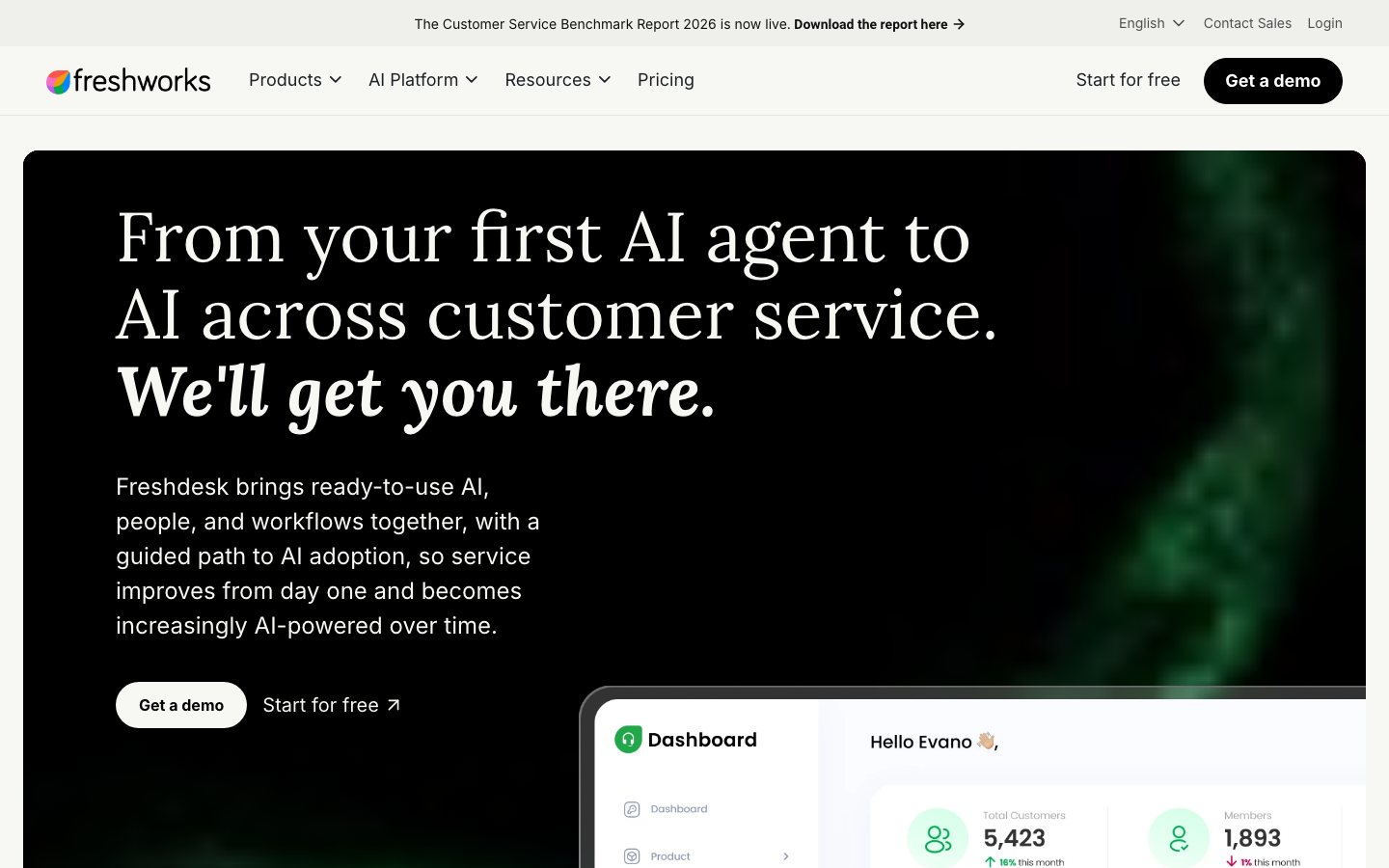
Buying view: Use Freshdesk when email tickets are the operating center; choose Freshdesk Omni when the same team must govern live chat, messaging, social, and email in one ticket workspace. Freshchat and Freshcaller can cover specialized messaging and voice needs, but their seats, usage charges, and AI services must be budgeted separately.
Capabilities
Freshdesk supplies the email-first ticket system; Freshdesk Omni adds a unified multichannel command center and broader AI routing; Freshchat specializes in digital conversations; Freshcaller specializes in voice. Support teams can turn conversations into trackable tickets, then use assignment, SLA, AI, and human handoff controls to move each case toward resolution.
Product group
How the four customer-service products fit together
The shared problem
A buyer needs to separate the ticket-system choice from the specialized chat and phone channels, because each product has its own subscription and AI boundary.
How these products fit together
Freshdesk and Freshdesk Omni are the two current core Freshdesk SKUs. Freshdesk centers on email tickets; Omni adds a unified multichannel workspace. Freshchat and Freshcaller can run as separately priced messaging and voice products, while routing and integrations connect their work to ticket operations.
This is a relationship map rather than a mandatory sequence. Freshdesk and Freshdesk Omni are alternative core ticketing SKUs; Freshchat and Freshcaller are independently priced channel products. Freshcaller has a documented ticket integration. Freshchat and Omni share conversation, routing, and ticket concepts, but an existing Freshchat account should not be assumed to merge automatically into every Omni account.
A configured support mailbox converts each incoming email into a ticket. Rules classify and assign it; the Email AI Agent may work the case when enabled and session capacity is available, or a human agent replies. The resolved ticket remains available for SLA and reporting analysis.
A supported real-time conversation creates a ticket. Ticket-creation rules and AI assignment start together. The configured channel may start with an AI Agent, route directly to a person, or hand an unresolved AI conversation to a person; resolution remains a ticket outcome rather than an automatic consequence of handoff.
Official product
Freshdesk
Freshdesk is an email-first help desk for teams that need to assign, track, and resolve customer requests rather than manage them in individual mailboxes. Its main strength is turning email threads into tickets with an owner, priority, status, and response or resolution deadline. It fits teams whose main need is structured ticket handling and self-service, rather than Omni's broader channel coverage, Freshchat's messaging focus, or Freshcaller's phone operations.
Its core functions are ticketing and a shared inbox, workflow automation, a knowledge base and customer portal, and reporting. Agents handle requests in the inbox; rules classify, assign, and escalate tickets, while SLA policies set response and resolution targets. Customers can consult help articles or submit requests through the portal, and managers track ticket volume and service performance in reports. Optional Freddy AI tools add automated email replies and Copilot assistance for agents; availability depends on the plan and add-on.
What each module does and its role
Email ticketing and shared inbox
Freshdesk converts messages sent to configured support addresses into tickets. Agents see requester history, ownership, priority, status, due times, and the conversation in one ticket workspace, so an email thread becomes managed service work instead of a private mailbox exchange.
Automation, assignment, and SLA
Creation, update, and time-based rules can categorize, prioritize, assign, escalate, and follow up on tickets. Pro and Enterprise add more routing and SLA controls; Enterprise adds skill-based assignment.
Email AI Agent and Copilot
Email AI Agent works through back-and-forth email replies in a 72-hour session window. Copilot is a separately assigned add-on for selected Pro or Enterprise agents and assists with replies, translation, summaries, sentiment analysis, and resolution.
Knowledge, portal, and reporting
The customer portal and knowledge base give customers a self-service path before or alongside ticket submission. Reports and dashboards track ticket volume, response and resolution performance; higher tiers add deeper customization and enterprise controls.
Official product
Freshdesk Omni
Freshdesk Omni is a multichannel help desk for teams handling email, web chat, WhatsApp, Facebook, and Instagram in one ticket workspace. Compared with email-first Freshdesk, it adds broader messaging coverage and channel-specific assignment and service controls. Compared with Freshchat, it focuses on managing those conversations as tickets through to resolution, alongside knowledge and reporting. It fits teams that need one place to manage cases across channels, not just a chat inbox; a Freshcaller integration can add phone support.
The central module is Freshdesk Command Center, where agents view customer context, reply, and track tickets across channels. Workflows and Omniroute assign work using configured rules, agent availability, and capacity; the knowledge base and analytics support self-service and performance tracking. Optional Freddy AI tools provide chat and email AI Agents, Copilot assistance, and AI Insights, with availability governed by the selected plan and add-ons. Unresolved AI conversations can pass to human agents with their context; phone service through Freshcaller retains separate setup and charges.
What each module does and its role
Freshdesk Command Center
The Command Center is the central Ticket Inbox and Ticket Details workspace for email, web chat, WhatsApp, Facebook, Instagram, and supported additional channels. Agents can respond, add private notes, track SLA timers, and work from one customer conversation record.
Real-time channels and AI assignment
For WhatsApp, Web Chat, Instagram, and Facebook, an administrator can enable Start with AI Agent. Ticket-creation automations and AI assignment begin together, so a rule can still route selected work directly to people instead of forcing every conversation through AI.
Omniroute and channel capacity
Omniroute balances assignment by availability, ticket or chat load, skills, and configured preferences. In Omni, queues can separate work by source and channel, while the same agent-capacity settings can account for tickets, chats, and phone availability.
Freshcaller phone channel
Freshcaller can be integrated as the phone channel. Inbound calls can create tickets, and agents can access recordings and transcripts within the ticket; phone numbers, call usage, and Voice AI services retain their own commercial rules.
Official product
Freshchat
Freshchat is a customer-messaging product for teams answering questions through website or app chat and supported messaging channels. Its focus is continuing conversations in a shared inbox, with customer history, bots, and human handoff, rather than organizing work around email tickets as Freshdesk does. It fits teams mainly adding or improving messaging support; Omni is the broader choice when those conversations also need advanced ticket management, while Freshcaller serves phone operations. Freshchat has its own AI options and does not require Omni simply to use a chat AI Agent.
The product combines web and app chat, messaging-channel connections, a shared agent inbox, and routing and service controls. Customers start conversations in a widget or messaging app; agents see the conversation history, reply, and hand work to another person when needed. Freddy AI Agent can automate customer conversations, while Copilot assists human agents; intelligent routing, multiple SLA policies, and skill-based assignment depend on the plan. Channel availability and AI purchases should be checked separately rather than treating every capability as included in every edition.
What each module does and its role
Web, app, and messaging conversations
The chat widget and mobile SDK support real-time conversations, while paid plans add social messengers, text messaging, and other digital channels. Agents use a shared inbox and conversation history instead of handling each channel's conversations separately.
Freddy AI for chat
Freshchat can use Freddy AI Agent for customer-facing automated conversations and Copilot for selected human agents. AI is therefore available in Freshchat itself; Freshdesk Omni adds the broader unified ticket and channel-governance layer.
Routing, SLA, and escalation
Pro adds intelligent routing, multiple SLA policies, and an availability dashboard; Enterprise adds skill-based routing and stronger security controls. These settings decide which person receives work when AI or an automated conversation cannot finish it.
Official product
Freshcaller
Freshcaller is a cloud phone system for teams that need to receive calls, call customers back, and manage a phone-support queue. Its distinctive functions are number management, call routing and transfers, recordings, and contact-center monitoring, rather than Freshchat's text conversations or Freshdesk's email tickets. It fits teams that need a dedicated phone operation, including alongside Freshdesk or Omni. Integrating it with Freshdesk links calls to follow-up tickets, but does not make phone numbers or call usage part of a help-desk seat subscription.
Its functional areas cover phone numbers and inbound or outbound calls; queues, voicemail, transfers, and recordings; routing and interactive voice response (IVR); and call reports and service-level monitoring. IVR lets callers select where their call goes, with speech-enabled IVR available on the relevant higher plan. The Freshdesk integration carries call context into ticket follow-up, so phone work can continue as a tracked case. Voice AI integrations are a separate option with their own service and setup requirements, not the chat or email session packs used by the other products.
What each module does and its role
Phone numbers, calls, and queues
Freshcaller supplies the voice workspace for receiving and placing calls. Growth adds queues, voicemail, transfers, recording, and an incoming-minute allowance; number rental and many call charges still depend on country and call type.
Routing and contact-center control
Pro adds holiday routing, call-center agent statuses, routing automation, conferencing, and smart escalations. Enterprise adds speech-enabled IVR, abandoned-call metrics, and service-level monitoring.
Freshdesk ticket integration
The integration lets a call create or update follow-up work in Freshdesk and places call context, recordings, and transcripts next to the ticket. This links voice to ticket operations without making Freshcaller plan fees, minutes, or numbers part of the Freshdesk seat price.
Voice AI boundary
Freshcaller markets voice bots, speech-enabled IVR, and transcription, and it can connect third-party Voice AI Agent services. Those vendor charges and implementation choices remain separate from the native chat and email AI session packs shown for Freshdesk products.
Commercial plans
View official pricing detailsFreshworks plan selector
Lowest tier for required features · USD subscription budget · Rules dated September 19, 2026
This is an Vendolune needs-based recommendation and budget estimate, not an official Freshworks recommendation or checkout quote.
How do customers contact the team?
Digital channels: select launch requirements only
This estimate offers Campaign Contacts only with Freshchat. Selecting email AI, formal tickets, or a unified workspace connected to your existing phone provider removes this add-on from the estimate.
Minimum phone capabilities
Price by actual users and usage
Seats and licenses
Paid plans are charged per purchased agent seat, with no fixed bundle of one or two seats. Enter the number of agents you need. Copilot licenses are optional and are not selected by default.
Copilot assists human agents rather than replying autonomously; it may also require a higher base plan.
A person using two independent subscriptions is counted as a seat in each. Bundle licensing or integration discounts require confirmation.
Why this configuration fits
The requirements combine ticket management with chat or messaging, so Freshdesk Omni is recommended. Agents can handle email and live conversations in a unified inbox, then track cases through ticket ownership, status and service deadlines. Freshdesk's basic web widget focuses on knowledge access and ticket forms rather than the full live chat needed here. Omni already provides advanced chat and messaging, so this configuration does not need a separate Freshchat subscription.
The selected capabilities fit Freshdesk Omni Growth, so this entry-level paid tier is matched. No Pro or Enterprise requirements are selected. Increasing agent count does not by itself raise the tier; paid seats are calculated from the actual team size.
The estimate includes 1 agent seats for Freshdesk Omni Growth. Seat count determines how many agents are licensed to use the product, while the tier determines available features; these are separate parts of the configuration and cost.
Phone support and a new phone system are selected, so Freshcaller Growth is added separately for 1 phone-agent seats. This tier provides: Queues, voicemail, recordings, transfers. Phone seats use the separately entered team size rather than copying the email or chat count. Applicable number, call and recording charges are extra.
What to confirm before purchase and extra costs
Add number, call and recording charges to the phone budget. Included minutes are shared per account and limited by region, number and answering method.
This estimate assumes the phone system and other support systems are used separately. If you also need to answer calls within the support workspace or synchronize records automatically, confirm the required plans and fees separately rather than treating these integrations as included in Growth.
Requirements that could change the recommendation
If you only need to manage customer messages in one place and no longer need formal ticket management or a knowledge base, change the workflow to a shared inbox to see a Freshchat configuration and its cost. The resulting features will differ, so first confirm that you can do without those capabilities.
This estimate covers standard public USD monthly and annual subscriptions and renewal AI usage. Tax, phone usage and unlisted add-ons are extra. Quarterly, half-yearly, custom-contract and limited-time free offers are outside this estimate.
What to confirm before purchase and extra costs (2)
- Add number, call and recording charges to the phone budget. Included minutes are shared per account and limited by region, number and answering method.
- This estimate assumes the phone system and other support systems are used separately. If you also need to answer calls within the support workspace or synchronize records automatically, confirm the required plans and fees separately rather than treating these integrations as included in Growth.
How costs are calculated
- Tax and extra charges for phone service, third-party messaging channels, connectors, MCP connections and temporary agent seats are excluded.
- If you buy a phone plan, its included minutes are shared across the account and do not multiply with the number of agent seats. These minutes apply only to eligible local numbers and calls answered in a browser. Calls from other regions, outbound calls and recordings require separate calculations using the applicable rates.
- If you want to answer calls within the Freshdesk Omni workspace, confirm how the phone service connects, which plans are required and what licenses cost before buying. This estimate totals the listed subscriptions and does not treat workspace integration as an included service. AI session allowances in separate subscriptions are also calculated separately rather than treated as a shared pool.
- Freshdesk's Free Program supports up to 2 agents for 6 months at no charge. It is a separate limited-time offer, not two free seats included in a paid plan, and this estimate does not deduct it from ongoing subscription costs. For legacy plans, regional offers or custom contracts, use the prices and terms in your order.
Four products · standard plans covered by this estimate
| Product | Plan | USD / seat / month | Main reasons to choose this tier |
|---|---|---|---|
| Freshdesk Omni | Growth | $35.00 | Tickets + chat; knowledge base / portal |
| Pro | $95.00 | Intelligent routing, multiple SLA policies, BYOT | |
| Enterprise | $143.00 | Skill-based routing, audits, Sandbox | |
| Freshdesk | Growth | $23.00 | Email tickets; knowledge base / portal |
| Pro | $66.00 | Multiple SLA policies, custom reports, collaborators | |
| Enterprise | $107.00 | Skill-based routing, audits, Sandbox | |
| Freshchat | Free | $0.00 | Up to 10 seats; chat widget, email inbox connection |
| Growth | $23.00 | Social messaging, standard reports, optional AI | |
| Pro | $59.00 | Multilingual features, intelligent routing, multiple SLA policies | |
| Enterprise | $95.00 | Skill-based routing, audits, IP restrictions | |
| Freshcaller | Free | $0.00 | Basic calls; call charges are separate |
| Growth | $18.00 | Queues, voicemail, recordings, transfers | |
| Pro | $47.00 | Automated routing, conferencing, smart escalation | |
| Enterprise | $83.00 | Speech-enabled IVR, service-level monitoring |
Comparable tools: price and workflow
| Tool | Workflow difference | Official public price reference |
|---|---|---|
| Zendesk AI | A support team needs a structured workspace for tickets, customer context, and service workflow control. Compare Shopify context, automation limits, agent seats, and the work needed to maintain policies and routing. | $19/agent/month, billed annually |
| Help Scout | A team values a shared, human-led support workflow and wants automation to stay secondary to clear ownership. Verify the needed ecommerce context, routing, automation, and reporting before replacing a larger service desk. | $25/user/month |
| Gorgias | A support team needs a structured workspace for managing tickets, customer context, and service workflows. Compare Shopify context, automation limits, agent seats, and the work needed to maintain policies and routing. | $10/month (50 tickets) |
| Intercom | The priority is an AI service agent that can resolve common questions and hand uncertain cases to people. Answer quality depends on maintained knowledge, permissions, and a clear escalation owner. | From $0.99/outcome |
| Tidio (Lyro AI) | A store needs a faster, lighter chat and first-response layer before adopting a full service platform. Check handoff quality, knowledge maintenance, reporting, and whether the product remains sufficient as ticket volume grows. | 50 human conversations/month; a one-time allowance of 50 Lyro conversations per account |
Frequently asked questions
What is Freshdesk, and how does it differ from Freshworks, Freshservice, and a sales CRM?
Freshdesk is cloud customer-support and ticketing software from Freshworks, the company behind the product. It helps teams record, assign, track, and resolve external customer requests. Freshservice focuses on internal IT and employee services; Freshsales is the sales CRM for leads and deals. For ecommerce teams, after-sales inquiries belong in Freshdesk, internal IT requests in Freshservice, and sales opportunities in Freshsales.
What customer-support problems can Freshdesk ticketing solve?
Freshdesk turns customer requests into tickets with an owner, priority, status, and response or resolution deadline. Rules can assign tickets, escalate overdue work, and send automatic replies; internal discussions and linked tasks let colleagues work on the same case. Customers can find answers in the knowledge base or submit requests through the portal. Routing, service-level agreement (SLA) policies, reporting, and collaboration options vary by plan.
How much does Freshdesk cost per agent, and what are the free-plan and trial limits?
As of September 19, 2026, Freshdesk lists Growth at $19, Pro at $55, and Enterprise at $89 per agent per month, billed annually in USD. These seat prices exclude separately charged AI usage and add-ons. A 14-day free trial requires no credit card. The separate Free Program allows up to two agents for six months and applies to Freshdesk, not Omni. Administrators can find the switch under Plans and Billing; exceeding the seat limit or continuing beyond six months requires a paid plan. Switching from a higher plan or trial can remove features and their configurations.
What does Freshdesk AI do, and is it included in the subscription?
Freddy AI Agent automates customer replies; in Freshdesk, this is Email AI Agent. Copilot helps human agents with summaries and reply suggestions, while Insights highlights service trends and problems. Availability and charges differ: new paid accounts receive 500 AI Agent sessions once, not every month; additional packs cost $49 per 100 sessions. Pro and Enterprise can add Copilot for selected agents at $29 per agent per month, billed annually. The current Freshdesk pricing table lists Insights under Enterprise. AI assistance does not mean every case can be resolved without a person.
Does Freshdesk support live chat, WhatsApp, and phone calls? When is Omni needed?
Freshdesk is email-first, with Facebook and a basic web widget for knowledge-base access and ticket forms. Omni combines email, advanced live chat, WhatsApp, Facebook, and Instagram in one inbox; older accounts may retain different channel rights. Freshchat is a separate option for messaging and has its own AI Agent and Copilot options, subject to plan and add-on terms. Freshcaller integration can turn calls into tickets with recordings and transcripts. Phone numbers, call usage, carrier fees, and third-party Voice AI are separate costs, so a Freshdesk seat price is not a full omnichannel or phone quote.
Can Freshdesk connect to a CRM, ecommerce store, or custom application? Is there an API?
Freshdesk supports connections through apps, connectors, and custom development. Its official integration directory lists Slack, Microsoft Teams, Shopify, Salesforce, and Jira. The supported fields, actions, and sync direction depend on the individual app. REST API v2 provides access to tickets, contacts, and knowledge-base data, subject to authentication, permissions, and account-level rate limits. Some apps, connectors, and usage incur separate charges; compatibility does not imply unlimited API access or complete two-way synchronization.
How should a team choose between Freshdesk and Zendesk?
For email-centered support, Freshdesk is a relevant starting point; for unified live chat, messaging, social, and email, Freshdesk Omni is the closer comparison to an equivalent Zendesk offering. A useful trial uses the same typical customer requests to compare routing, integrations, reporting, AI answers, and the context retained when a person takes over. Cost comparisons need the same agent count, billing term, channels, and AI usage, plus migration and maintenance work. A vendor comparison page alone does not establish which product is cheaper or better for every team.
Where can existing Freshdesk users log in, and what if login fails?
Agents can use the Freshworks website's Login link or their company's address, such as yourcompany.freshdesk.com, then choose the Agent login with an authorized email. Teams using single sign-on should follow their company login method. A company's customers should use that company's help center. Forgotten passwords can be reset with Forgot password; checking the registered inbox and spam folder may help locate the reset email. Persistent errors should go to the account administrator or Freshdesk support with the account URL and error message, without passwords, verification codes, or API keys.
Are Freshdesk, Freshdesk Omni, Freshchat, and Freshcaller one bundled subscription?
No. Freshdesk and Freshdesk Omni are two core SKUs, and Omni already includes advanced web chat and messaging; Freshchat and Freshcaller retain separate pricing. This selector recommends one of Freshdesk, Omni or Freshchat based on your needs, then evaluates Freshcaller separately. It does not automatically buy a duplicate chat product. The combined amount does not represent official bundle licensing or a single checkout.
What does one Freddy AI Agent session mean?
For chat AI Agents, Freshworks counts interactions within 24 hours from session initiation as one session. For Email AI Agent, the session is a 72-hour window starting from the customer's first email. The first 500 sessions shown on paid plans are a one-time account allowance, after which additional packs are purchased.
Native connections
Agents can view a shopper's orders, payments and shipping details beside a ticket, then refund or cancel eligible orders. Refunds can be full or partial. The ready-made app supports multiple stores. Setup requires a Shopify custom app for authorization, customer/order permissions and enabling the order actions; it does not require writing a connector. Shipped or fulfilled orders cannot be canceled through this widget.
Shopify: official setup guideWhen a customer asks about an order, agents can open its details in the BigCommerce widget, then confirm a cancellation or refund within Freshdesk. Install the BigCommerce app from the Freshworks Marketplace and authorize the store using its URL, API path, client ID and access token. These are actions taken by an agent, not an automatic refund for every new ticket.
BigCommerce: official setup guideAgents can check the last five campaigns sent to a contact and their send, open and click history before answering a promotion-related question. They can also subscribe or unsubscribe the contact from mailing lists. An administrator installs the app and signs in to Mailchimp. The widget appears on the Freshdesk contact page, not in the ticket details sidebar.
Mailchimp: official setup guideRoute ticket notifications to the Slack channel used by the responsible team. Agents can ask colleagues for help in the ticket thread; replies in that thread sync back to Freshdesk as private notes. Agents can also create tickets from Slack messages. An administrator connects Freshdesk groups to channels using the Freshdesk domain and API key. The app requires a plan with API access; each Freshdesk group maps to one Slack channel.
Slack: official setup guideTeams can receive ticket cards in selected channels or direct messages and update the status, priority, group or assigned agent there. Agents can also reply or add notes without opening Freshdesk. Configure the notification conditions after installing the app. Setup needs Freshdesk administrator access and Microsoft Azure administrator consent; ordinary agent permissions cannot complete that consent step.
Microsoft Teams: official setup guideFor a customer issue that needs engineering work, create or link a Jira issue from the Freshdesk ticket. The Atlassian Jira Plus app can sync comments and configured status or priority changes, keeping support and engineering informed. Administrators must authorize both accounts and set project, field and sync mappings. Install the Freshdesk app in Jira as well to view linked ticket details there; linking does not mean every field syncs automatically.
Jira: official setup guideThe Salesforce widget matches customers by email and shows contact, account and related sales or service information beside a ticket. Agents can create leads, contacts, tasks, cases or opportunities there. Setup requires a Salesforce Connected App and Freshdesk administrator credentials. The connector's separate bulk data-sync feature uses a paid Connector App add-on; viewing the widget should not be confused with enabling that synchronization.
Salesforce: official setup guideA team already using Aircall can keep its phone provider and use the Aircall widget inside Freshdesk to make or receive calls, transfer them and add notes. Answered calls and voicemail can create tickets with the related call details. Install the Aircall app, supply the Freshdesk API key and Aircall API credentials, and choose when to create tickets. Agents must be available to receive calls in the widget.
Aircall: official setup guideConnect Fin to handle Freshdesk email tickets using your support content while your team keeps Freshworks as its ticket system. If Fin cannot resolve a question, it hands the conversation to the agent queue with its history. Freshchat live messaging is a separate supported connection. Configure Fin's content and handoff behavior before deployment; connecting it does not require migrating the helpdesk.
Fin: official setup guideSources
- Freshdesk official product page
- Freshdesk: Official documentation
- Freshdesk: Official pricing
- Fin connection
- Official workflow guide 1: Route a ticket between AI and people
- Official workflow guide 2: Route a ticket between AI and people
- Freshdesk password reset
- Zendesk customer service
- Freshworks comparison of Freshdesk and Zendesk
- Freshdesk free trial
- Freshdesk Free Program
- Freshdesk integrations
- Freshdesk REST API v2
- Freshdesk and Freshservice
- Freshsales sales CRM
- Freshdesk account login
- Freshdesk login troubleshooting
- Freshdesk Omni official pricing
- Freshchat official pricing
- Freshcaller official pricing
- Freshdesk and Freshdesk Omni product structure
- Freshdesk email channel
- Freshcaller integration
- Freshdesk Omniroute settings
- Shopify: official setup guide
- BigCommerce: official setup guide
- Mailchimp: official setup guide
- Slack: official setup guide
- Microsoft Teams: official setup guide
- Jira: official setup guide
- Salesforce: official setup guide
- Aircall: official setup guide
- Fin: official setup guide
- G2
- Capterra
- OMR Reviews
- TrustRadius
User reviews
3,771 reviewsChecked Sep 19, 2026
Freshdesk product reviews.
Review summary (our paraphrase)
Review summary (our paraphrase)
Valued automation and reporting; noted higher plan costs for advanced features and substantial setup work.
Read original reviewReview summary (our paraphrase)
Found ticket management straightforward; considered paid advanced features a constraint for smaller organizations.
Read original review3,474 reviewsChecked Sep 19, 2026
Freshdesk product reviews; summaries cover the overall-experience answers.
Review summary (our paraphrase)
Found tickets easy to locate and development-tool integrations useful, with affordable costs.
Read original reviewReview summary (our paraphrase)
Reported simpler ticket handling and faster responses with a platform that was easy to use.
Read original reviewReview summary (our paraphrase)
Reported needing four agents while remaining committed to paying for nineteen seats under a two-year contract.
Read original review47 reviewsChecked Sep 19, 2026
Freshdesk product reviews. The summaries below describe experiences published in 2022.
Review summary (our paraphrase)
Liked the interface and automated email assignment; found notifications excessive and ticket history cluttered.
Read original reviewReview summary (our paraphrase)
Found ticket assignment useful, but reported disappearing draft text and cumbersome signature setup.
Read original reviewReview summary (our paraphrase)
Valued integrations and shared customer history, but found long email threads difficult to navigate.
Read original review277 written reviewsChecked Sep 19, 2026
Written Freshdesk reviews, excluding rating-only entries. Summaries cover the use-case answers; all three reviews are marked incentivized by TrustRadius.
Review summary (our paraphrase)
Used Freshdesk for passenger claims; found it adaptable but limited when used as a CRM.
Read original reviewReview summary (our paraphrase)
Chose it for simplicity and affordability when setting up a help desk, and reported five years of use.
Read original reviewReview summary (our paraphrase)
Relied on it for healthcare customers’ support requests, but lacked a contingency plan for a platform outage.
Read original reviewFreshdesk
Content checked:
Liked ticket tracking and shared customer information, but reported occasional loading delays and errors.
Read original review