Re:amaze: ecommerce helpdesk and AI support
Re:amaze is an ecommerce support workspace that brings customer messages and connected store records together so a team can answer questions in one place. A shared inbox, live chat and an AI Agent help staff handle routine questions. Requests the AI cannot resolve are passed to a person.
Re:amaze is an ecommerce support workspace that brings customer messages and connected store records together so a team can answer questions in one place. A shared inbox, live chat and an AI Agent help staff handle routine questions. Requests the AI cannot resolve are passed to a person.
Re:amaze is an ecommerce support workspace that brings customer messages and connected store records together so a team can answer questions in one place.
- Views
- 0
- Uses
- 0
- Favorites
- 0
- Supported Platforms
- Shopify · BigCommerce · WooCommerce · Web · Email · Chat · Social · SMS · Voice
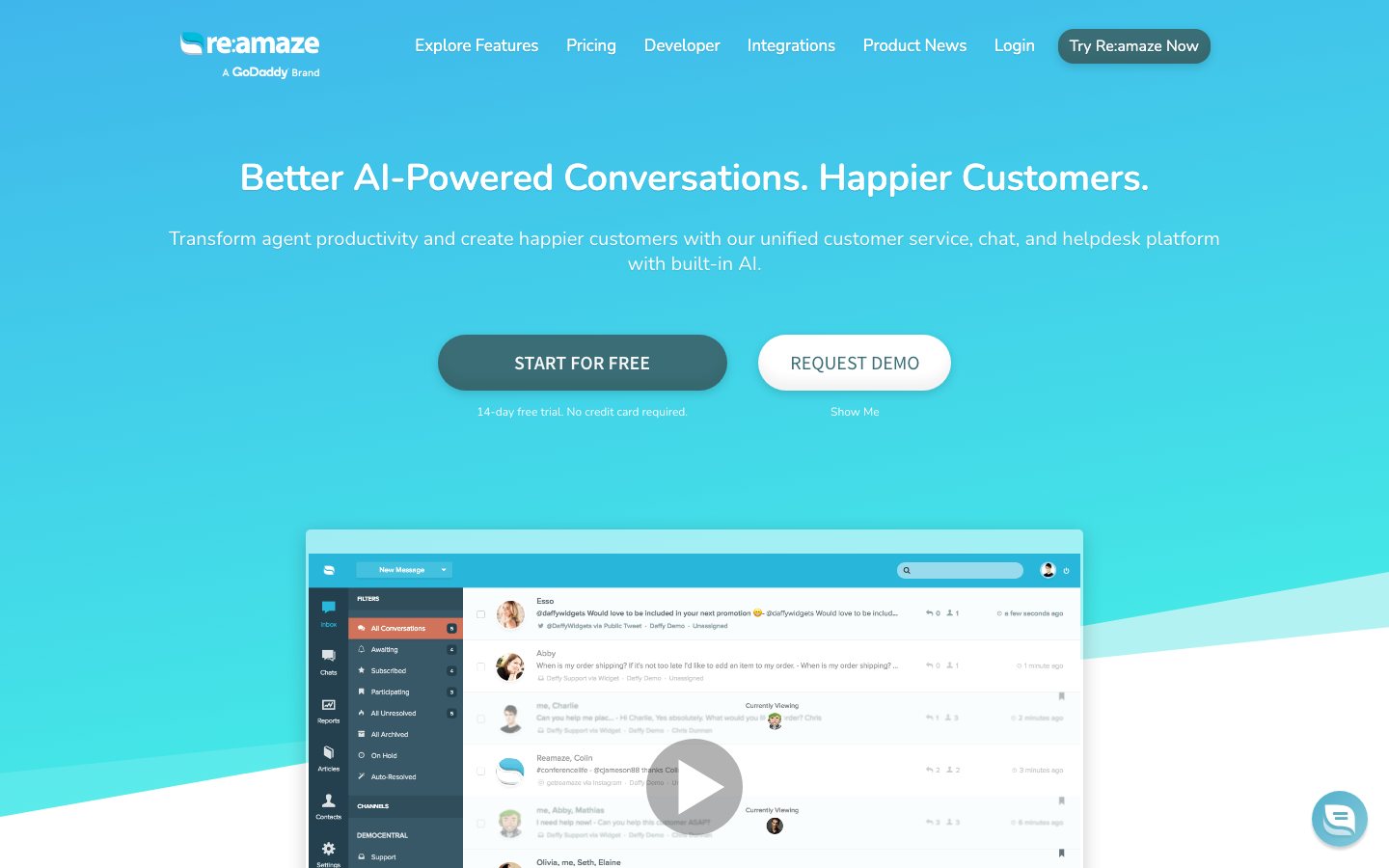
Buying view: Re:amaze is relevant when a team needs shared support operations and store context together. Compare the required seats and AI-resolved conversations: a low per-seat entry price does not describe the whole monthly bill.
Re:amaze workflows for ecommerce support
Re:amaze is a support workspace for teams that answer customer messages across enabled channels. Agents see the conversation beside connected store records, use shared knowledge to reply, and route work to the right teammate. The team can enable an AI Agent for supported questions, while staff take over requests the Agent cannot handle. After resolving an escalated conversation, staff can review a suggested answer before adding it to reusable knowledge.
Customer conversations and order context in one inbox
A customer may ask about an order in chat and follow up by email. Support staff need the conversation, store context and answer policy in one place so they can reply consistently and know who owns the next step. Re:amaze organizes that work in a shared inbox.
From incoming message to assignment and reply
Customers contact the store through connected email, chat or another enabled channel; staff handle the resulting conversation in Inbox. They inspect the store context, reply or assign the request, and decide when the AI Agent may answer. A proposed learned answer enters the knowledge base only after staff review it.
How Re:amaze hands AI conversations to staff
Re:amaze can answer eligible messages with AI and hand unresolved requests to staff, who decide whether resolved answers enter reusable knowledge.
From customer message to reply or human handoff
A customer message enters the support workspace from an enabled channel. The AI Agent checks the available knowledge and supported store context, then either replies or hands the conversation to staff. Staff resolve the escalated case and mark it Done; Re:amaze may then suggest a learned answer. A teammate decides whether to save that answer before the Agent can reuse it on a later question.
Inbox, AI Agent and reusable answers
Re:amaze uses Inbox for conversations, AI Agent for eligible answers and reviewed knowledge for reuse.
Inbox
Inbox is where staff read and answer customer conversations from enabled channels. While handling a message, they can inspect connected commerce records instead of switching between the conversation and the store. Assignments and workflow rules show who should handle the next reply or exception; the team remains responsible for resolving the case.
AI Agent
The AI Agent handles supported customer questions on channels where the team has enabled it. It draws on approved knowledge and available commerce data to compose a reply, then hands requests it cannot handle to staff. A sent reply has the status Responded; staff should distinguish that from a conversation marked Done and from a billable AI resolution.
FAQ
FAQ is the team's workspace for writing and updating answers to recurring customer questions. Staff decide which answers are public and which remain internal; saved answers can support customer self-service and AI Agent replies. When a return or shipping policy changes, the team needs to update the source answer because the Agent may reuse it.
Learned Answers
Learned Answers turns a human-resolved support case into a candidate answer for future questions. After staff mark the escalated conversation Done, Re:amaze may suggest wording that a teammate can review, edit or discard. Only a saved answer becomes available for later Agent use, so a one-off exception need not become the store's standing policy.
Chat and Chatbots
Chat gives shoppers a way to contact the store while they browse, and the team can configure proactive messages for selected situations. Staff answer those conversations in the support workspace. If the team enables the AI Agent, it should check the existing bot setup: some classic bots stop running, while Cue and Workflow Bots can remain in use.
Re:amaze pricing: seats and AI resolutions
Re:amaze charges its main plans per team member and meters AI-only resolutions separately; Starter uses a responded-conversation limit.
View official pricing detailsBasic, Pro and Plus are charged per team member, with a separate allowance for AI resolutions. Starter instead limits responded-to conversations and includes unlimited team members.
Per-seat plans and included AI resolutions
Basic, Pro and Plus list per-user subscription prices and different included AI resolution allowances.
| Product or sales surface | Scope | Public price and status |
|---|---|---|
| Basic | One brand; 5 AI resolutions per user/month. | $29/user/month; monthly billing$26.10/user/month; annual billing |
| Pro | Multiple brands; 10 AI resolutions per user/month. | $49/user/month; monthly billing$44.10/user/month; annual billing |
| Plus | Staff management; 20 AI resolutions per user/month. | $69/user/month; monthly billing$62.10/user/month; annual billing |
| Starter | 500 responded-to conversations/month; unlimited team members. | $59/month flat rate |
| AI overage | Additional resolution beyond the included allowance; no human escalation. | $0.85/additional resolution |
Re:amaze alternatives: support workflows and prices
This table compares Re:amaze with Commslayer, Gorgias and Tidio + Lyro by support workflow and billing unit.
| Tool | Workflow difference | Official public price reference |
|---|---|---|
| Commslayer | Shopify-centered support with unlimited staff seats and separate conversation, AI-message and draft allowances. | Free: $0/monthPlus: $39–$199/month, by volumeScale: $299–$2,999/month, by volumeEnterprise: Custom quoteOfficial pricing ↗ |
| Gorgias | A support desk with Shopify order actions and a separate AI Agent meter. For the same refund or address-change case, check action permissions and both ticket and AI charges. | Starter: $10/month · 50 ticketsBasic monthly: $60/month · 300 ticketsBasic annual: $50/month equivalent · 300 ticketsPro monthly: $360/month · 2,000 ticketsPro annual: $300/month equivalent · 2,000 ticketsAdvanced monthly: $900/month · 5,000 ticketsAdvanced annual: $750/month equivalent · 5,000 ticketsAI Agent and higher volume: confirm additional chargesOfficial pricing ↗ |
| Tidio + Lyro | Human support, Lyro AI conversations and Flows are separate products with separate usage meters. Add the modules your support workflow actually needs before comparing total cost. | Helpdesk Free: $0/month · 50 human conversationsHelpdesk Starter monthly: $29/month · 100 conversationsHelpdesk Starter annual: $290/year · 100 conversationsHelpdesk Growth: from $59/month · from 250 conversationsHelpdesk Plus: from $300/month plus usageHelpdesk Premium: custom quoteLyro AI Agent monthly: from $39/month · 50 AI conversationsLyro AI Agent annual: from $390/year · 50 AI conversationsFlows monthly: from $29/month · 2,000 visitorsFlows annual: from $290/year · 2,000 visitorsOfficial pricing ↗ |
Is Re:amaze right for your support team?
Re:amaze fits teams that need a shared customer inbox with store context and a clear AI-to-human handoff.
When this product fits
Re:amaze suits a support team that needs one inbox for enabled customer channels, connected store context and a clear handoff between AI and staff. The buyer should map its current channels and brands to the plan, then estimate staff seats and conversations the AI Agent may resolve without escalation. Those two quantities explain more of the likely bill than the per-seat entry price alone.
Compare seat cost with conversation cost
Price seats and AI-only resolutions together: Basic suits a single brand, Pro adds multibrand support, and Plus adds granular staff roles and scheduling. Test knowledge answers first, then order lookup and handoff with controlled test orders; the AI test window does not access live order data. Before migration, sample old threads, attachments and customer links, then enable AI channel by channel.
Re:amaze questions answered
Re:amaze buyers need to check seat costs, AI resolution allowances and channel coverage before choosing a plan.
Do paid Re:amaze plans include unlimited AI support?
No, they do not include unlimited AI resolutions. Standard per-seat plans include a limited allowance, with additional AI resolutions currently priced at $0.85 each on top of seat charges. Draft generation, human replies and fully AI-resolved conversations are not the same billing event.
Does a human handoff count as a paid AI resolution, and what about reopened conversations?
According to the current billing guide, a conversation that needs human takeover is not an AI-only resolution, and qualifying resolutions are counted by thread rather than reply. The rules for reopened threads, cross-month cases and delayed human replies still need written confirmation. Request a thread-level sample bill for those cases.
Can Re:amaze AI Agent answer email and SMS now?
Yes. The official update dated June 10, 2026 lists chat, email and SMS. AI can be enabled for selected inboxes, numbers or brands, but SMS still depends on plan and channel eligibility and communication charges. AI support for SMS does not mean all telecom costs are included.
Does the AI test window prove that it can look up real orders or issue refunds?
No. The official test guidance says that the test window is not connected to real products and orders. Use it to check knowledge answers and escalation, then verify live order lookup with controlled test orders and separately confirm refund capabilities, approval and execution results. A successful knowledge test is not evidence of a successful refund.
Is Starter suitable for a larger team with few conversations, and is it free?
Starter is a paid plan, currently $59 per account per month with 500 responded-to conversations and unlimited team members. It may suit a team with many staff members but low conversation volume, but confirm its cap handling and AI allowance rather than applying Basic’s per-seat allowance. Multi-brand operations, detailed roles or scheduling may require a higher plan.
Should I switch on AI immediately after migrating from another helpdesk?
Not without validation. AI answers depend on knowledge articles, templates and connected product and order data; importing tickets does not prove that those sources are complete, customer links are correct or internal rules are safe to use in customer answers. Check sample threads and attachments, test realistic orders and handoffs, then enable channels gradually.
Re:amaze native ecommerce and support connections
Re:amaze connects supported store and messaging systems to the helpdesk so staff can answer with relevant customer context.
Staff can inspect customer orders and perform supported order actions within the conversation.
Native integration guideOrder and fulfillment context accompanies the support conversation.
Native integration guideThe ready-made store connection brings customer and order context to support.
Native integration guideStaff can inspect payment information and manage supported refunds from the helpdesk.
Native integration guideConnected Slack channels receive conversation and message notifications for team awareness.
Native integration guideStaff can manage connected Klaviyo contacts, lists and subscriptions from the support context.
Native integration guideCustomer subscriptions and recurring purchases can be managed within conversations.
Native integration guideStaff can see available point balances, rewards and VIP context while assisting a customer.
Native integration guideConnected contact subscriptions and tags provide marketing context for support.
Native integration guideSources for Re:amaze
The official product, help and pricing links below support the feature and purchasing claims on this page.
Re:amaze user reviews by platform
These product-specific review sources show ratings and merchant experiences. Each platform counts its own reviews; open a review card or source page for the original context.
4.4 / 5180 reviewsChecked Sep 29, 2026
Rating for the Re:amaze Shopify app.
Dakota is an excellent source of knowledge and ambassador for Re:amaze. Our small business just downloaded to product and he's been very helpful getting us up to speed with all of the functionality we need to keep our customer service up and running.
AI functionality demo with Dakota T was very insightful. He explained everything with great clarity and patience. We will be expanding our usage/plan because of this.
4.6 / 5140 reviewsChecked Sep 29, 2026
Reviews of Re:amaze on G2.
The variety/flexibility of options, the multi-brand approach, the great support, and it's affordable. They recently added AI features that pull information from FAQ's, those are very helpful
Seat price is relatively cheap and has features needed.
Re:amaze gives us the ability to chat with our customers. It's straightforward and easy to use. I love having the ability to see who is managing each chat in real time.
4.8 / 553 reviewsChecked Sep 29, 2026
Reviews of Re:amaze on Capterra.
Individual reviews cannot be linked here. Open the original platform to read them.
More reviews on CapterraContent checked:
We have been using Re:amaze for over a year now and it has been a great tool for helping us help our customers efficiently. The program can be customized to provide the level of service your business requires and options for AI help are there when you are ready to pull the trigger. Dakota has been a valuable resource and so helpful when we have needed more information. A great platform! Thank you!